

A guide to monitoring and analyzing end-to-end user interactions within the client environment of the Quepass platform. The User Journey section provides visibility into complete user workflows such as onboarding, authentication, transactions, and search. It enables clients to track user progress, identify drop-offs, and evaluate overall journey outcomes for performance optimization and operational insights. The User Journey module can be accessed from the Client Dashboard sidebar under User Journey.Documentation Index
Fetch the complete documentation index at: https://docs.quepass.com/llms.txt
Use this file to discover all available pages before exploring further.
1. User Journey Interface
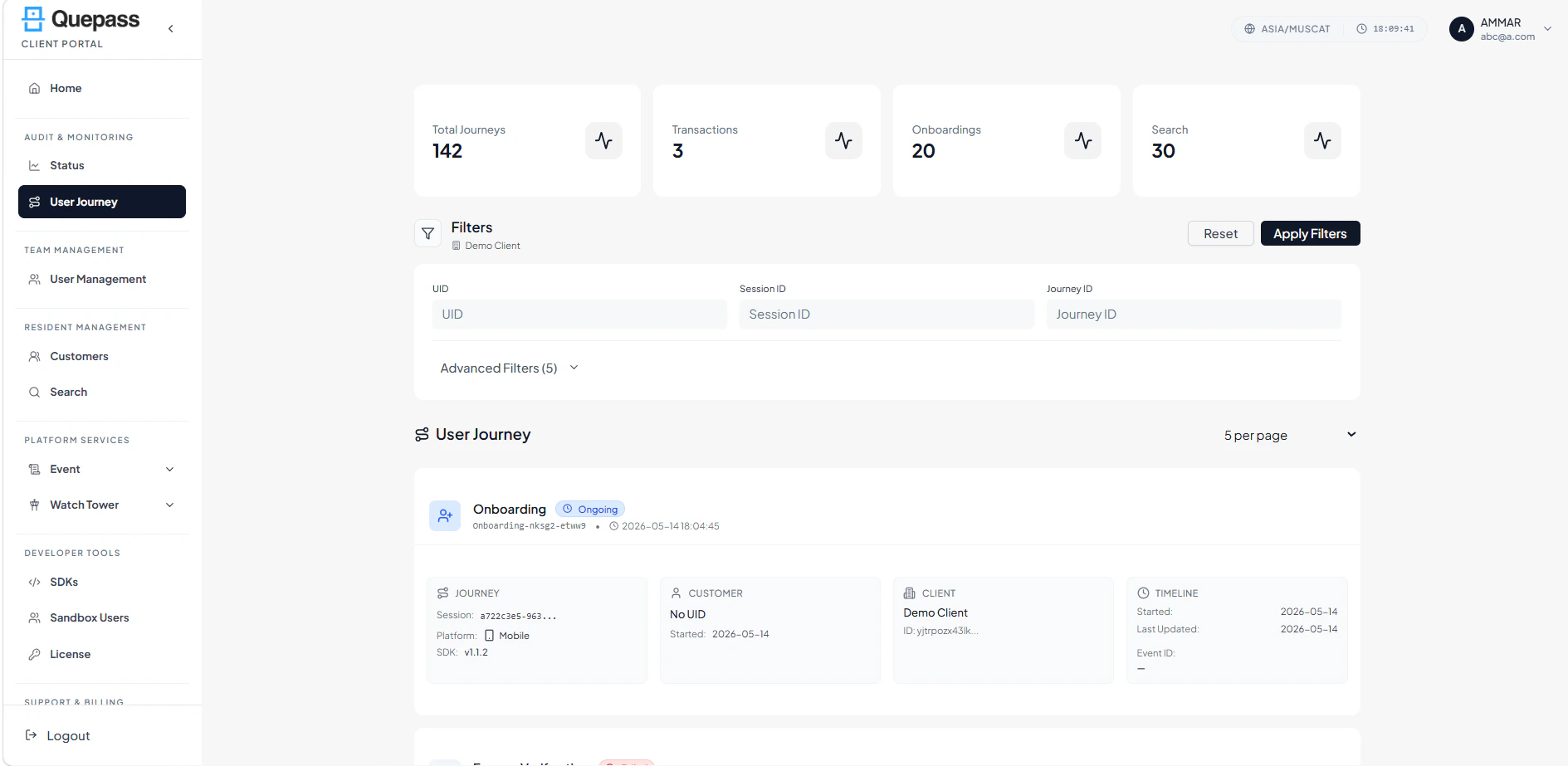
The User Journey interface is designed to provide both high-level metrics and detailed journey-level tracking. UserJourney The layout includes:- Summary metrics panel
- Filters panel
- Paginated journey list
- Journey detail view access
2. Using the User Journey Module
The User Journey section allows clients to monitor user interactions at both aggregate and session levels.Journey Summary Metrics
The top section displays high-level statistics to provide a quick overview of journey distribution: Total Journeys — Total number of user journeys recorded for the client Transactions — Number of transaction-based journeys Onboardings — Total onboarding journeys initiated by users Search — Total number of search journeys performed
Filtering Journey Records
The Filters panel enables clients to refine journey records using multiple parameters: Organization — Displays the client/organization name UID — Search journeys associated with a specific user identifier Session ID — Filter journeys by session ID for detailed tracking More — Access additional filtering options for deeper analysis Apply Filters — Applies selected filter criteria Clear — Resets all selected filters User Journey Filters
Reviewing User Journey Records
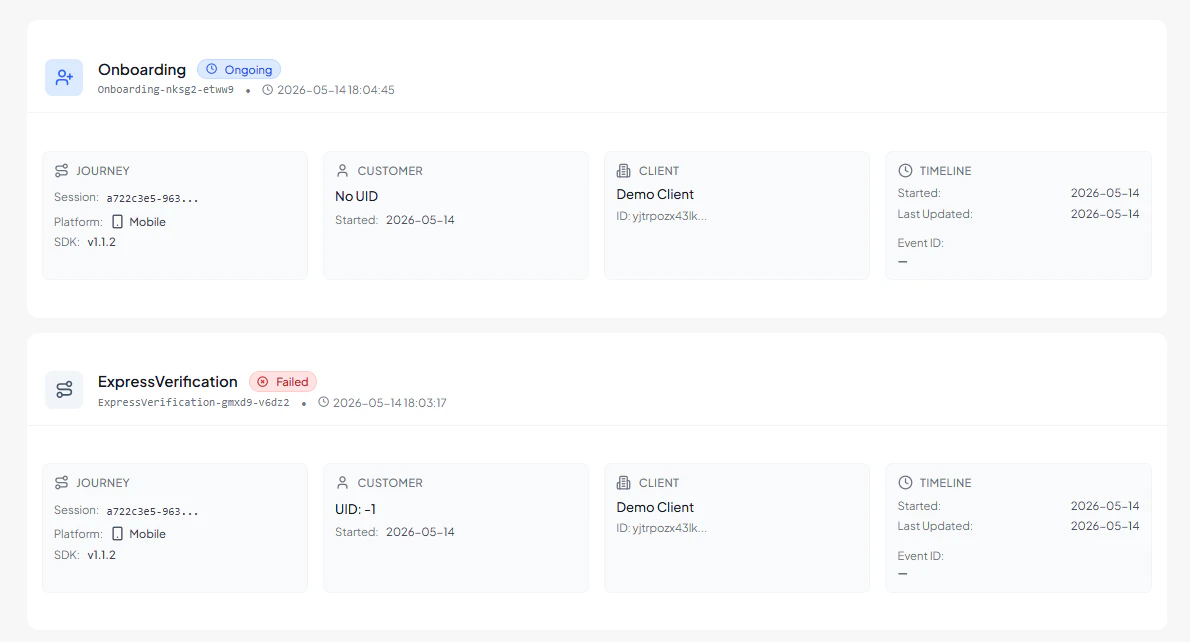
The main list displays individual journey entries specific to the logged-in client. Each record includes: Journey ID — Unique identifier assigned to the journey UID — User identifier linked to the journey (if available) Session ID — Session in which the journey occurred Status — Current state of the journey:- Completed — All required steps successfully finished
- Abandoned — User exited before completing the flow
3. Operational Use Cases
The User Journey module is commonly used for:- Monitoring onboarding completion rates
- Identifying abandoned user flows
- Tracking authentication and transaction journeys
- Evaluating SDK performance across platforms
- Analyzing session-level activity
- Improving user experience through behavioral insights