

A guide to locating and verifying resident information within the Quepass platform. The Resident Search section enables clients to search for residents who are registered under their account. It provides multiple search methods, including document-based search and image-based search, to quickly identify and access resident details. The Resident Search module can be accessed from the Client Dashboard sidebar under Resident Search.Documentation Index
Fetch the complete documentation index at: https://docs.quepass.com/llms.txt
Use this file to discover all available pages before exploring further.
1. Resident Search Interface
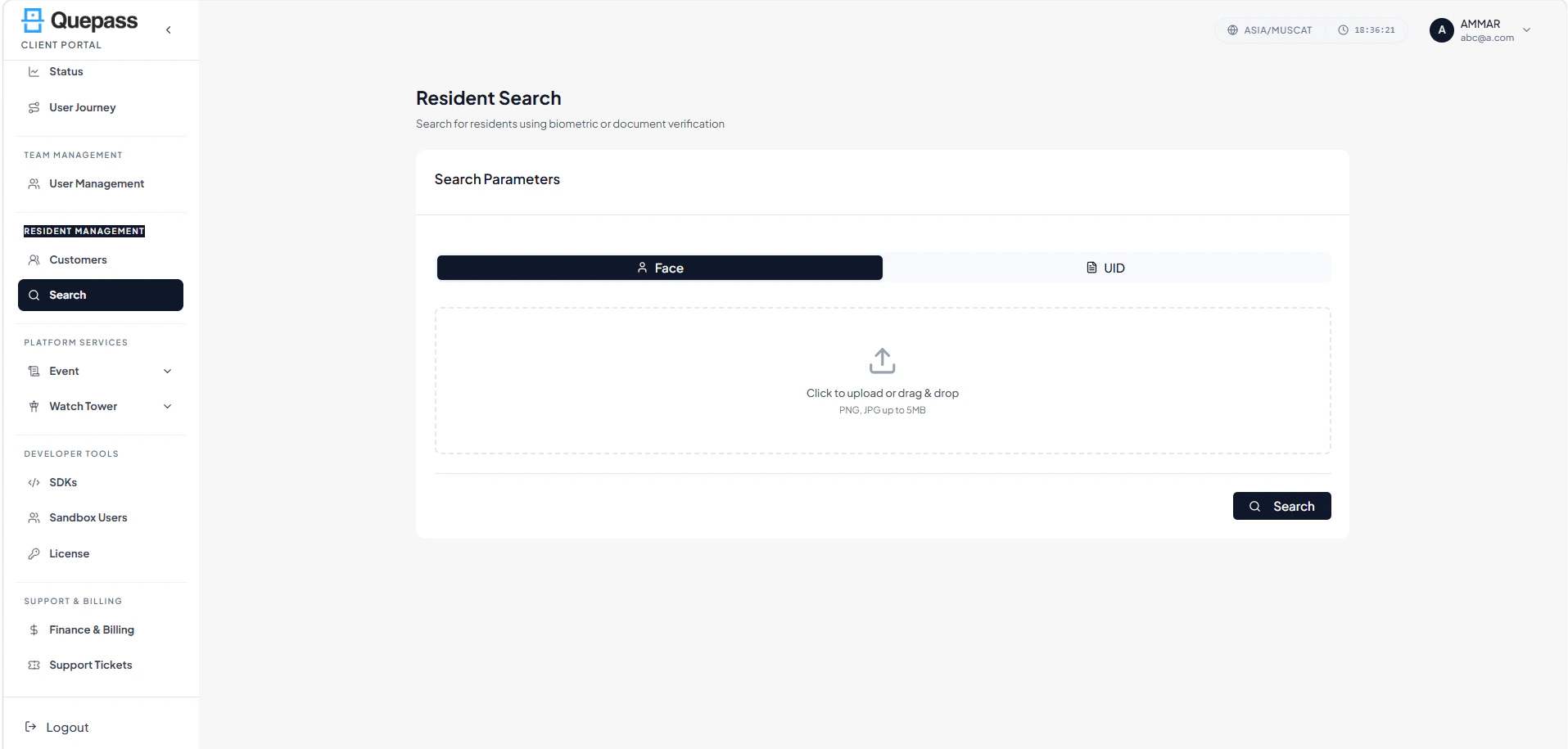
The Resident Search interface combines search input controls, document selection, and image upload functionality in a structured layout. ResidentSearch The layout includes:- Search by Document panel
- Search by Image upload panel (drag & drop)
- Resident result listing
2. Using the Resident Search Module
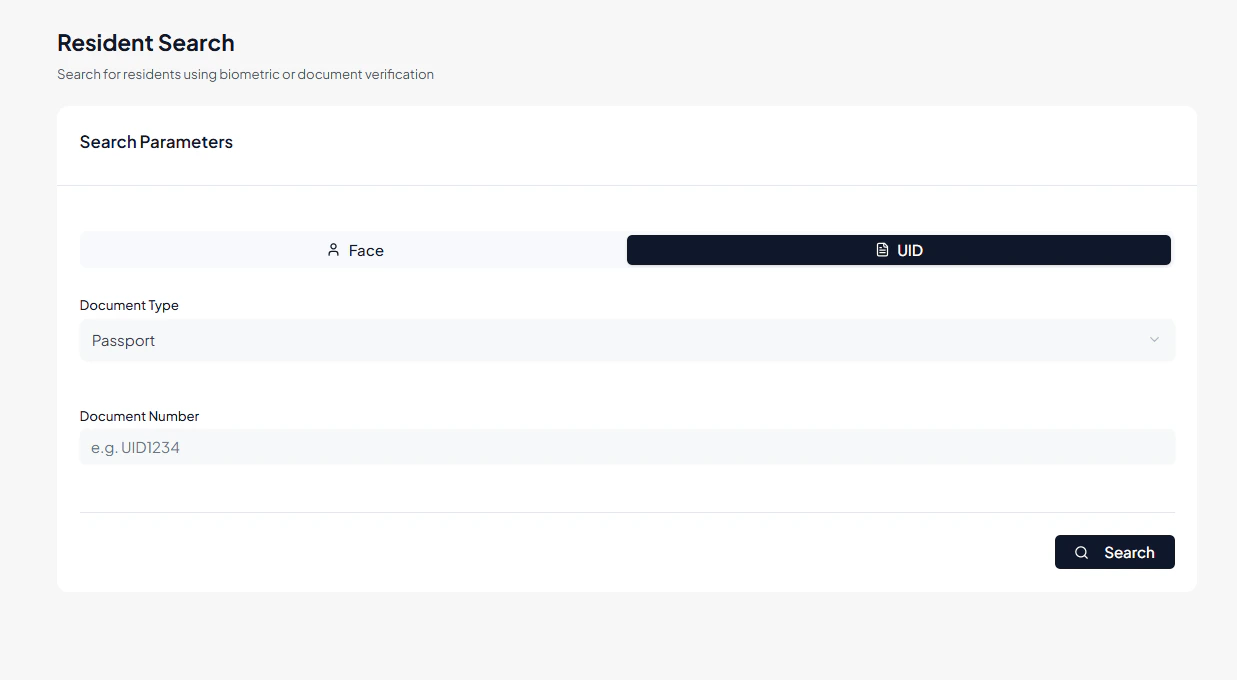
The Resident Search section allows clients to search for residents at both individual and batch levels.Search by UID
Clients can search residents using document type and number. Steps:- Select the Document Type (e.g., Passport, ID Card)
- Enter the Document Number in the input field
- Click Search to retrieve the resident record
Search by Image
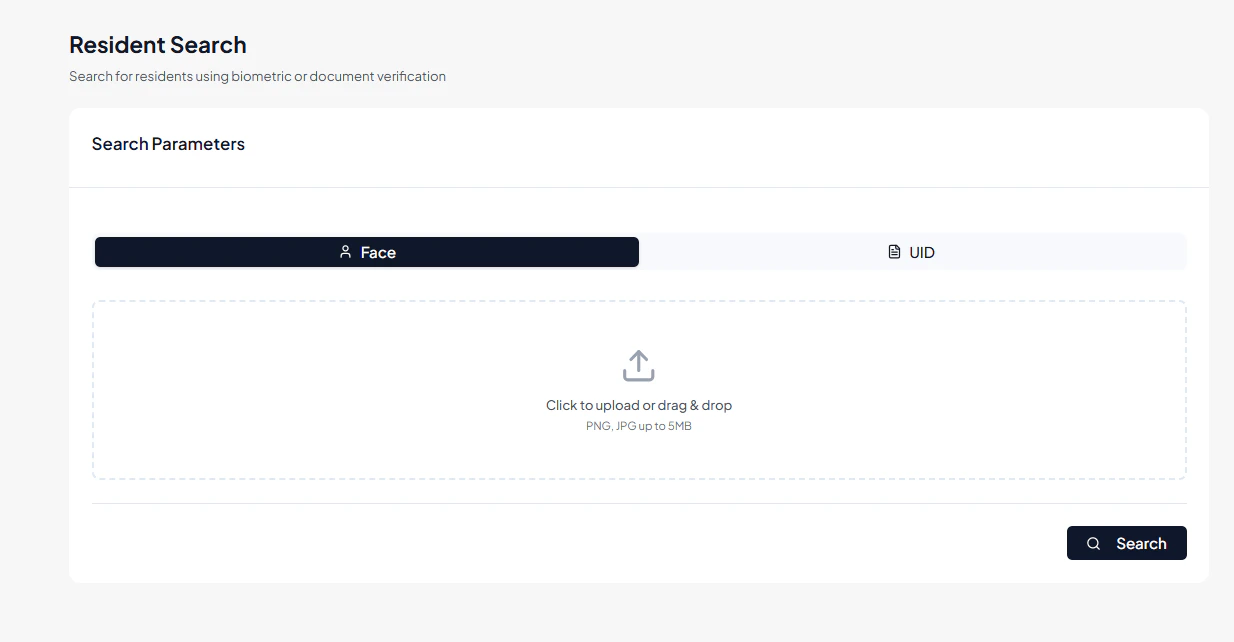
Clients can search residents using an uploaded image. Steps:- Drag and drop an image of the resident into the Image Upload area
- Alternatively, click the area to browse and select an image from your device
- The system will match the uploaded image against registered resident profiles
- Results are displayed in the Resident Result listing
Resident Result Listing
All matching residents are displayed in a structured card or table layout. Each resident entry includes: Full Name — Name of the resident UID — Unique identifier for the resident Document Type & Number — Information used for verification Status — Active or Inactive Action Controls — Options to view detailed resident information This layout allows clients to quickly review resident information and confirm identities.3. Operational Use Cases
The Resident Search module is commonly used for:- Locating registered residents under a client account
- Verifying resident identity using document numbers or uploaded images
- Supporting onboarding, verification, or service-related operations
- Quickly identifying active or inactive resident profiles
- Facilitating compliance and record-keeping through accurate resident search