

A guide to creating, managing, and tracking events within the client environment of the Quepass platform. The Event Management section enables clients to create, view, update, and monitor events throughout their lifecycle. It provides a centralized interface to track event status, duration, capacity, and configuration details, ensuring structured event governance and operational visibility. The Event Management module can be accessed from the Client Dashboard sidebar under Event.Documentation Index
Fetch the complete documentation index at: https://docs.quepass.com/llms.txt
Use this file to discover all available pages before exploring further.
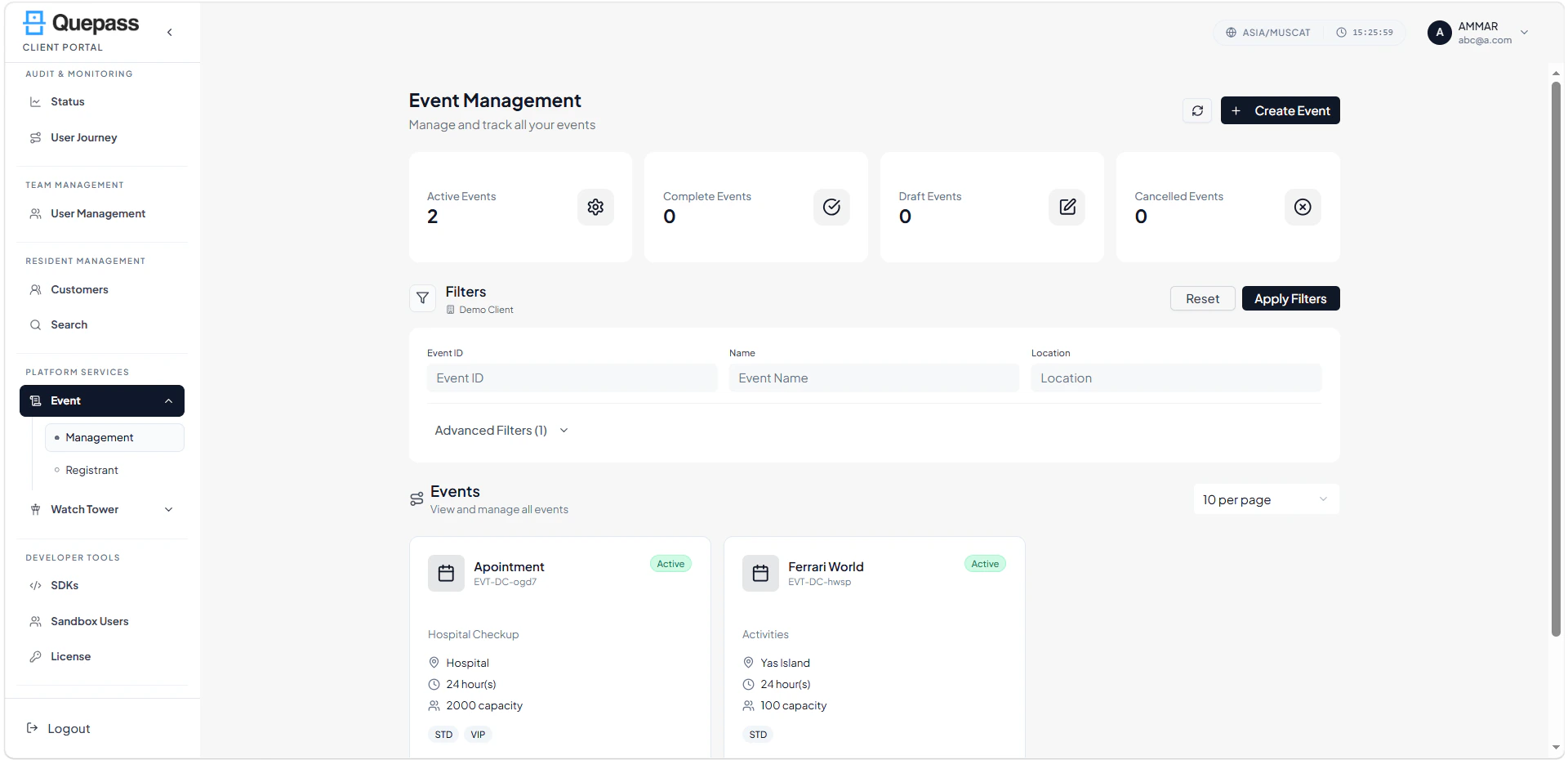
1. Event Management Interface
The Event Management interface combines high-level metrics, filtering controls, and card-based event listings for simplified management. EventManagement The layout includes:- Summary metrics cards
- Top action controls
- Filters panel
- Event card listing
- Event action controls
2. Using the Event Management Module
The Event Management section allows clients to oversee events at both summary and detailed levels.Event Summary Metrics
The top section displays key event statistics: Total Events — Total number of events created by the client Active Events — Events that are currently live and operational Completed Events — Events that have successfully concluded Draft Events — Events saved but not yet published or activated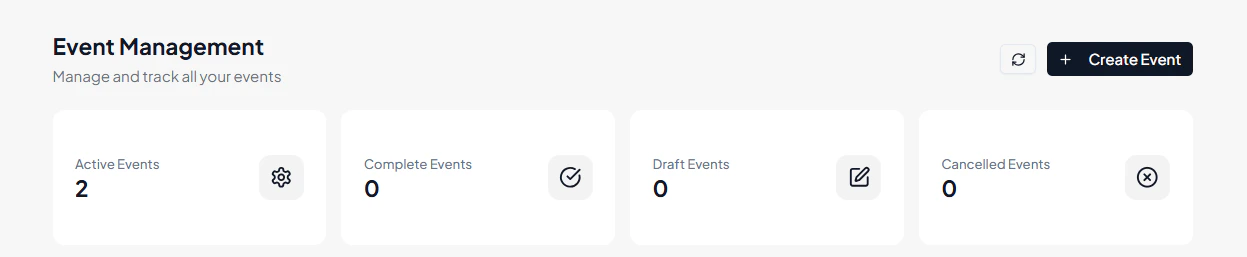
Top Action Controls
Located at the top-right of the screen: Refresh — Reloads event data to display the latest updates Create Event — Opens the event creation form where clients can enter details such as:- Event name
- Duration
- Location
- Capacity
- Event type
- Date range

Filtering Events
The Filters panel enables clients to refine event results for easier management. Available filters include: Organization — Displays the client organization Event ID — Search for a specific event using its unique identifier Event Name — Filter events by name More Options — Access additional filtering or advanced criteria Apply Filters — Apply selected filters to the event list Event Filters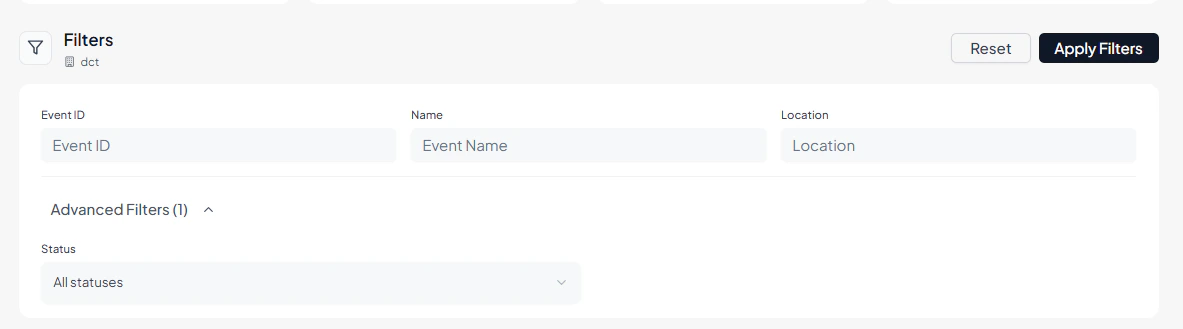
Reviewing the Events Listing
All events are displayed in a card-based layout for easy scanning and management. Each event card includes: Event Name & Event ID Event Status — Draft, Active, Cancelled, or Completed Description — Event summary (if provided) Location — Event venue or platform Event Duration — Total duration of the event Capacity — Maximum allowed participants Event Type — Category such as STD or VIP Event Date Range — Start and end dates Event Owner / Created By — User responsible for the event Event Cards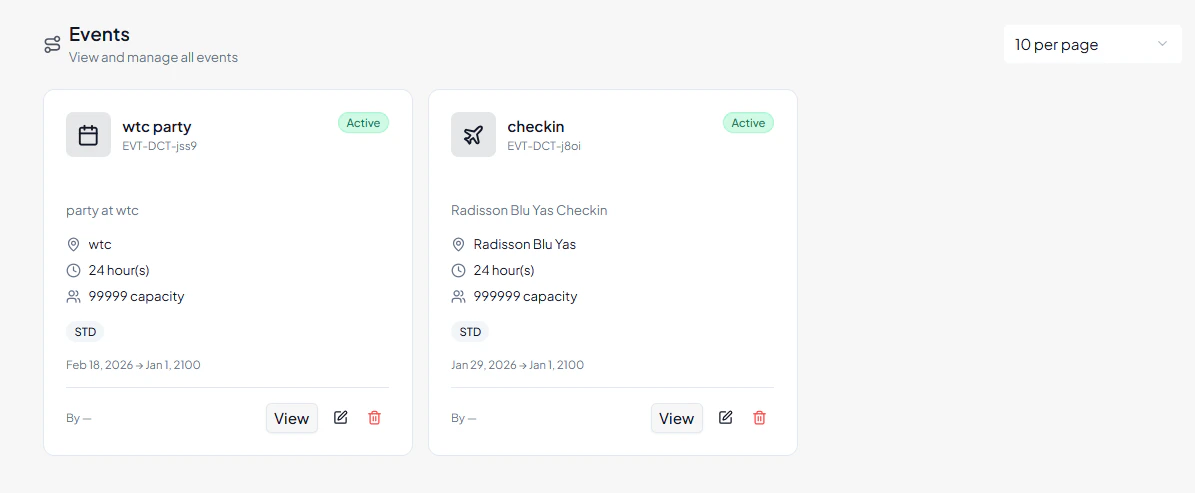
Event Actions
Each event card includes quick action options: View Event — Access detailed event information Edit Event — Modify event configuration and details Delete Event — Remove draft or inactive events (subject to permissions) Event Actions
3. Operational Use Cases
The Event Management module is commonly used for:- Creating and publishing new events
- Managing event lifecycle states (Draft → Active → Completed)
- Updating event capacity or configuration
- Monitoring active and completed events
- Cancelling or removing inactive events
- Tracking ownership and accountability