

A guide to managing and monitoring customer records within the client environment of the Quepass platform. The Customer Management section enables clients to view, analyze, and manage customer profiles associated with their organization. It provides insights into customer activity, journey outcomes, and verification performance to support operational oversight and compliance. The Customer Management module can be accessed from the Client Dashboard sidebar under Customer Management.Documentation Index
Fetch the complete documentation index at: https://docs.quepass.com/llms.txt
Use this file to discover all available pages before exploring further.
1. Customer Management Interface
The Customer Management interface combines summary analytics with detailed customer-level visibility. CustomerManagement The layout includes:- Customer summary metrics panel
- Filters section
- Customer list view
- Customer detail access

2. Using the Customer Management Module
The Customer Management section allows clients to monitor customer activity at both aggregated and individual levels.Customer Summary Metrics
The top section provides high-level performance indicators: Total Customers — Total number of customers registered under the client Total Transactions — Total transactions performed by the client’s customers Successful — Total number of successful transactions Failed — Total number of failed transactions
Filtering Customer Records
The Filters section allows clients to refine customer search results using: UID — Search for a customer using a unique identifier Full Name — Search customers by their full name More — Access additional filtering options Apply Filters — Apply selected search criteria Clear — Reset all applied filters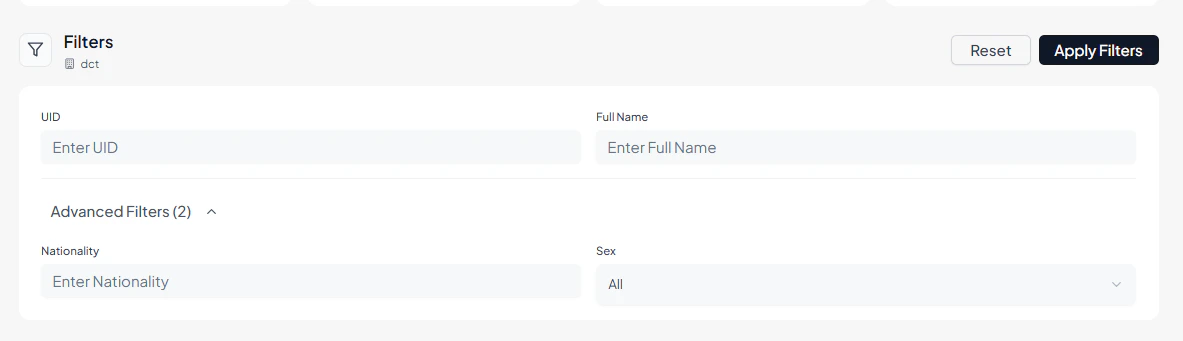
Reviewing the Customer List
The Customer List displays structured information for each registered customer, including: Customer Profile — Profile image and full name UID — Unique identifier assigned to the customer Nationality — Customer’s nationality Gender — Gender information Date of Birth — Customer’s date of birth Journey Statistics:- Total journeys
- Successful journeys
- Failed journeys

Viewing Customer Details
Each customer record includes a View option that opens a detailed profile interface. Within the detailed view, administrators can:- View and download verification certificates
- Activate or inactivate the customer profile
-
Edit customer details
Profile Details
Contains core identity and account information, including:- UID
- Full Name
- Date of Birth
- Gender
- Account Created Date
- Status (Active / Inactive / Suspended)
- Latest Updated Timestamp
- Platform Credentials (linked authentication or system credentials)

Identity Documents
Contains detailed information about government-issued identity documents such as:- National ID Card details
- Passport Information
- Document Number
- Issue & Expiry Dates
- Document Status
- Associated verification metadata

Government
The Government section stores official and regulatory information related to the customer. Available categories include:Residence
- Country of Residence
- Address Details
Contact
- Phone Number
- Email Address
Passport
- Passport Number
- Passport Expiry Date
- Issuing Country
Immigration
- Visa and Residency Information
Travel
- Travel History and Related Details
Sponsor Information
- Sponsor Name and Identification
Sponsor Contact
- Sponsor Phone and Email Information
Documents
- Digital EID
- Digital Passport
- Bio Images

Biometrics
Displays biometric verification artifacts including:- Live Capture Images
- NFC Extracted Images
- Face Verification Images

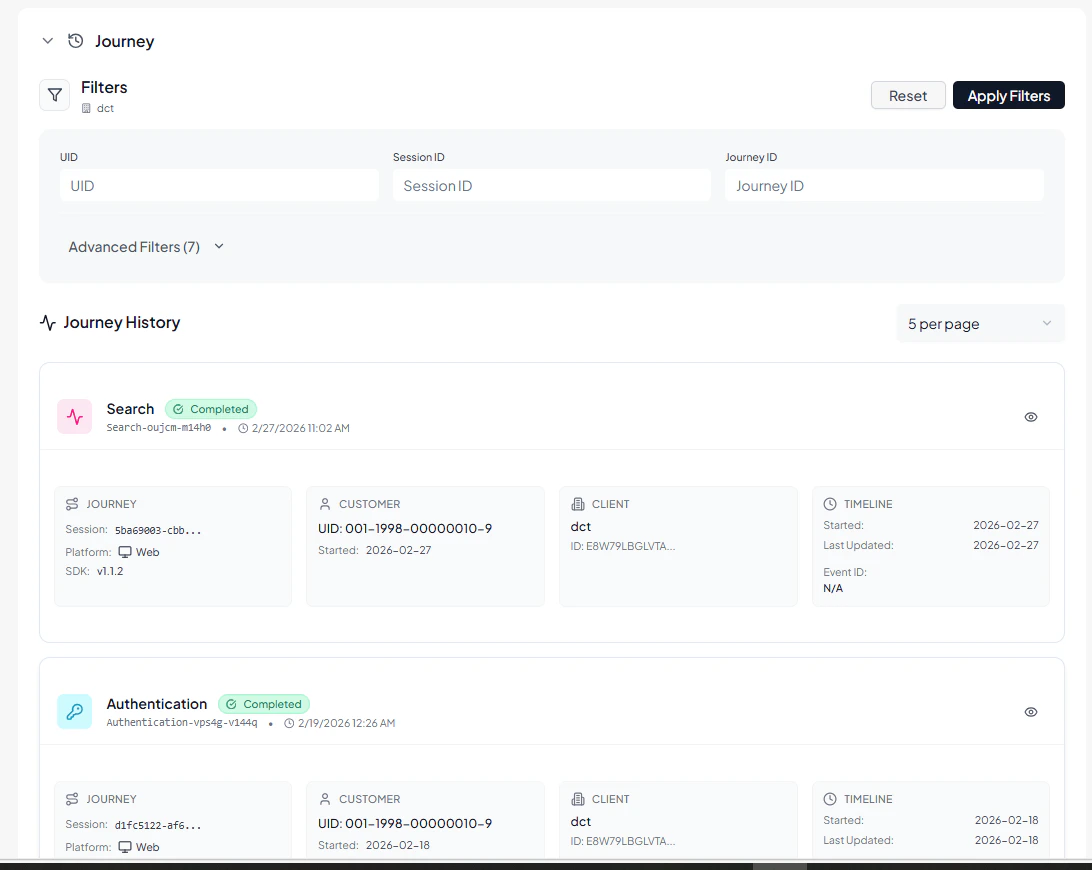
Journey History
Shows a complete chronological record of all customer-related journeys, including:- Onboarding Journeys
- Authentication Attempts
- Transaction Journeys
- Identity Verification Requests
- Search & Event Logs
3. Operational Use Cases
The Customer Management module is commonly used for:- Monitoring customer verification performance
- Investigating failed transaction patterns
- Activating or suspending user accounts
- Reviewing onboarding and journey statistics
- Downloading compliance certificates
- Updating customer profile information