

A guide to managing financial transactions, invoices, and billing operations within the Quepass platform. The Finance & Billing section enables clients to track payments, review invoices, manage subscriptions, and monitor financial activity. It provides centralized visibility into platform charges, payment status, and billing history. The Finance & Billing module can be accessed from the Client Dashboard sidebar under Finance and Billing.Documentation Index
Fetch the complete documentation index at: https://docs.quepass.com/llms.txt
Use this file to discover all available pages before exploring further.
1. Finance & Billing Interface
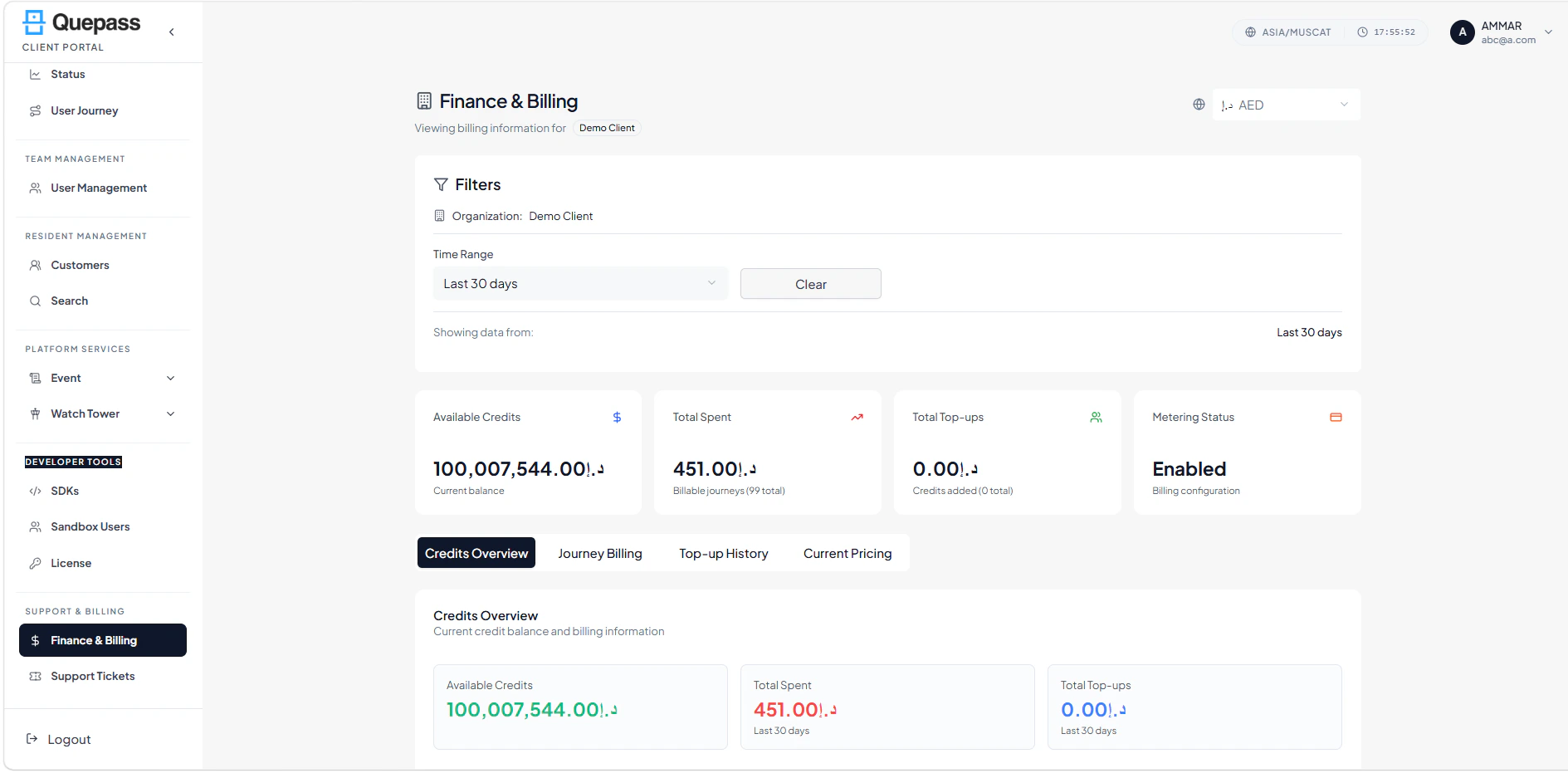
The Finance & Billing interface combines summary metrics, transaction listings, and action controls in a structured layout. FinanceBilling The layout includes:- Summary metrics cards
- Top action controls (e.g., Export, Filter, Pay)
- Filters and search panel
- Transaction and invoice card listing
2. Using the Finance & Billing Module
The Finance & Billing section allows clients to manage financial data at both aggregate and individual transaction levels.Summary Metrics
The top section displays key financial statistics: Total Revenue — Total amount billed to the client account Outstanding Balance — Total unpaid invoices Paid Invoices — Number of invoices marked as fully paid Upcoming Payments — Invoices due soon
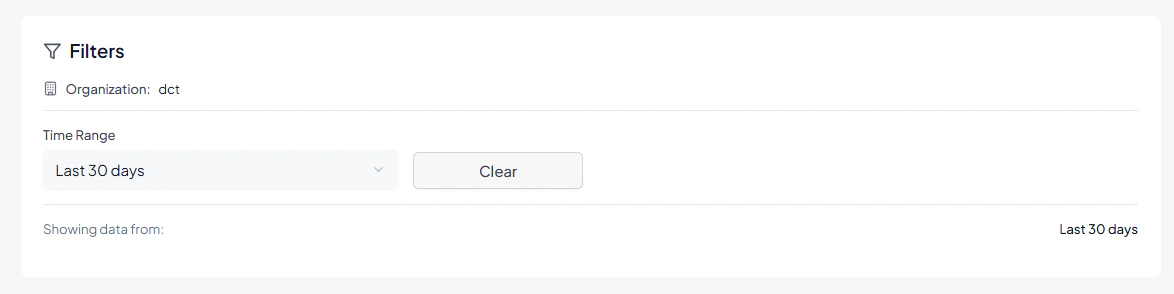
Search & Filters
The Filters panel allows clients to locate specific transactions or invoices efficiently. Available filters include:- Invoice Number — Search by unique invoice ID
- Client Name — Filter transactions linked to a specific client
- Status — Filter by Paid, Unpaid, or Overdue
- Date Range — Filter transactions within a specific time period
- Apply Filters — Apply selected filters to refine the transaction list
Credits Overview
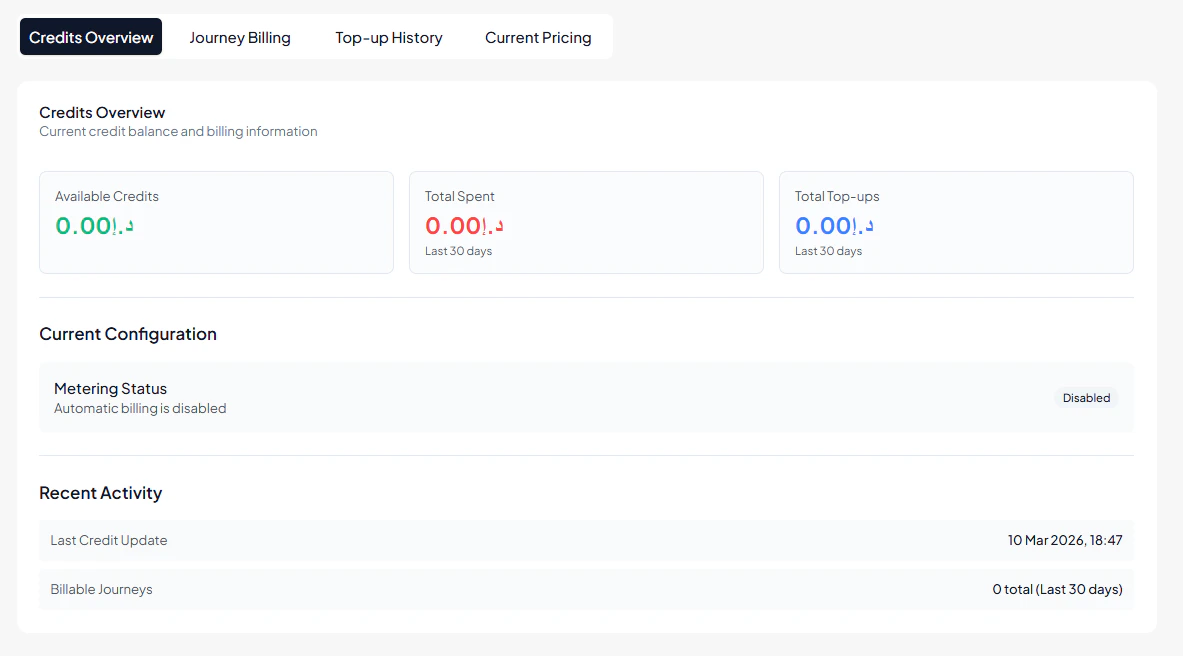
This section shows a quick summary of the account’s credit status. Available Credits — Current credit balance available for using services.Total Spent — Credits used in billable journeys (last 30 days).
Total Top-ups — Credits added to the account (last 30 days).
Current Configuration
Metering Status — Shows whether automatic billing is enabled or disabled.Recent Activity
Last Credit Update — Most recent credit balance update.Billable Journeys — Total billable journeys in the selected time period.
Journey Billing Records
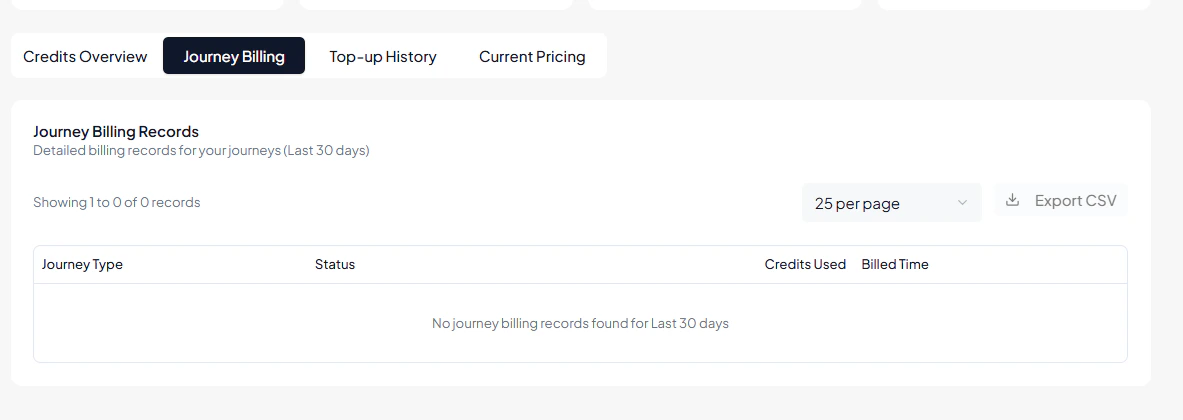
This section provides detailed billing records for all journeys executed within the selected time period (last 30 days). Journey Type — The type of journey performed (e.g., Registration, Authentication, Verification).Status — Indicates whether the journey was successfully completed or failed.
Credits Used — Number of credits consumed for the specific journey.
Billed Time — Date and time when the journey was billed.
Filters & Controls
Records Per Page — Select how many billing records to display per page.Export CSV — Download the billing records as a CSV file for reporting or reconciliation.
Empty State
If no journeys were billed within the selected period, the system will display:“No journey billing records found for last 30 days.”
Top-up History
This section shows the history of credits added to the account within the selected time period (last 30 days). Credits Added — The number of credits added to the account during a top-up transaction. New Total — The updated total credit balance after the top-up was successfully added. Channel — The method or source used to add the credits (for example: billing portal, admin panel, or automated billing). Date & Time — The exact date and time when the credit top-up was completed. Export CSV — Allows downloading the top-up history records as a CSV file for reporting or record keeping. Records Per Page — Controls how many top-up records are displayed on the page at one time.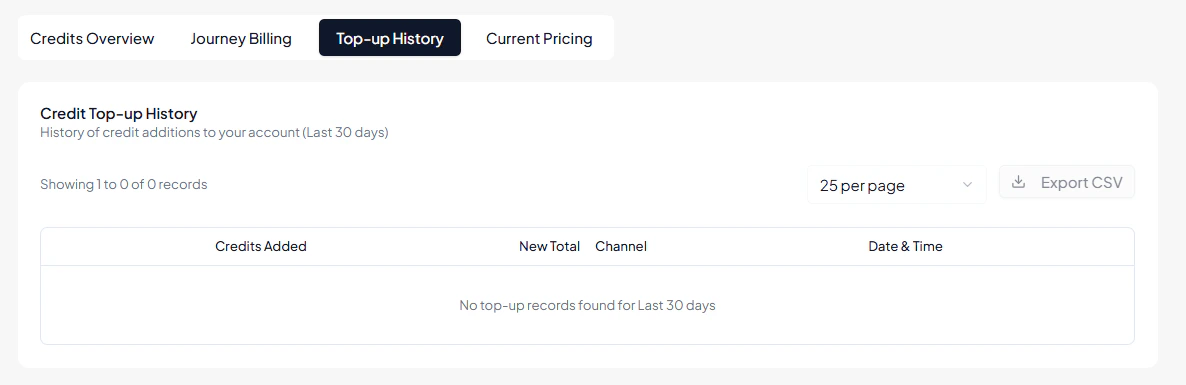
Current Pricing
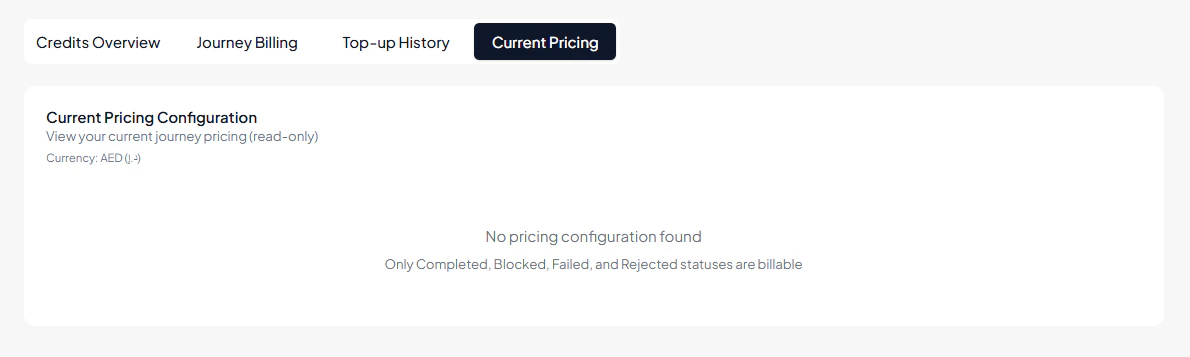
This section displays the current pricing configuration for journeys. The information is read-only and reflects the pricing set by the system or administrator. Currency — Shows the currency used for billing and pricing calculations (e.g., AED). Pricing Configuration — Displays the pricing rules configured for different journey types or statuses. Billable Statuses — Indicates which journey statuses are considered billable. Only the following statuses are charged:- Completed
- Blocked
- Failed
- Rejected
3. Operational Use Cases
The Finance & Billing module is commonly used for:- Tracking total revenue and outstanding balances
- Reviewing and managing invoices by status and due date
- Exporting financial data for reporting or accounting purposes
- Initiating payments for pending invoices
- Monitoring financial health and compliance with billing policies
- Supporting auditing and financial oversight of client accounts