

A guide to managing and monitoring watchtower configurations within the Quepass platform. The Watchtower Configuration section enables clients to create, manage, and monitor watchtower settings used for platform-level tracking and monitoring operations. It provides centralized visibility into configuration status, threshold settings, API credentials, and tracking behavior controls. The Watchtower Configuration module can be accessed from the Client Dashboard sidebar under Platform Services → Watch Tower → Configuration.Documentation Index
Fetch the complete documentation index at: https://docs.quepass.com/llms.txt
Use this file to discover all available pages before exploring further.
1. Watchtower Configuration Interface
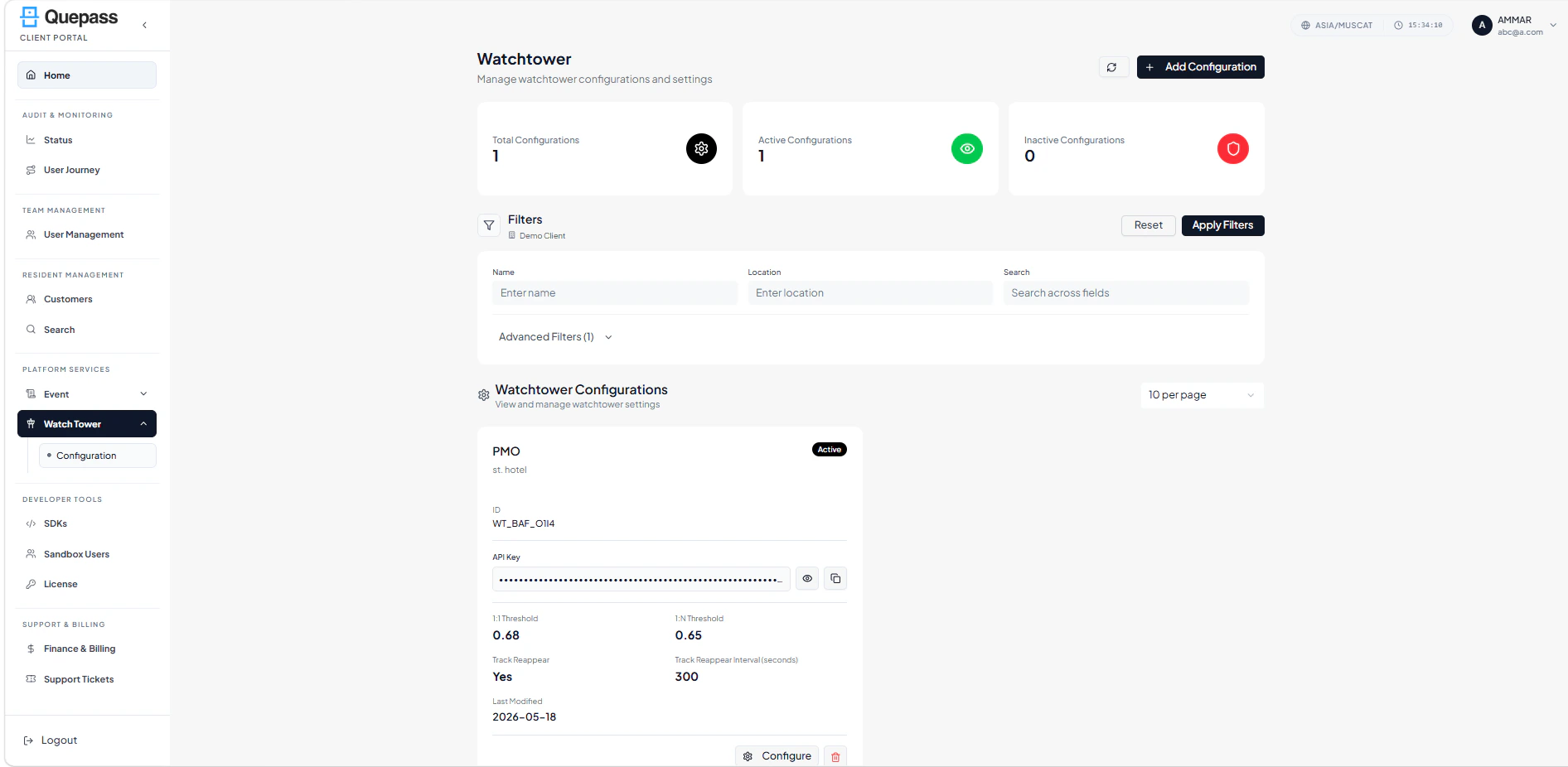
The Watchtower Configuration interface combines summary metrics, filtering controls, and configuration-level management in a structured layout. WatchtowerConfiguration The layout includes:- Summary metrics cards
- Top action controls
- Filters panel
- Configuration card listing
2. Using the Watchtower Configuration Module
The Watchtower Configuration section allows clients to manage and analyze watchtower settings at both aggregate and individual configuration levels.Top Controls
Located at the top of the screen: Refresh — Reloads configuration data to display the latest updates Add Configuration — Opens the setup flow for creating a new watchtower configuration
Viewing Configuration Metrics
The dashboard displays summary metrics for overall watchtower configuration activity. Available metrics include: Total Configurations — Displays the total number of watchtower configurations Active Configurations — Displays currently active configurations Inactive Configurations — Displays disabled or inactive configurations Configuration Metrics
Filtering Configurations
The Filters panel allows clients to quickly locate specific watchtower configurations. Available filters include: Name — Search configurations using configuration name Location — Filter configurations based on assigned location Search — Search across multiple configuration fields Advanced Filters — Access additional filtering of status of Active and Inactive. Apply Filters — Apply selected filters to refine the configuration list Reset — Clear applied filters and restore default results Configuration Filters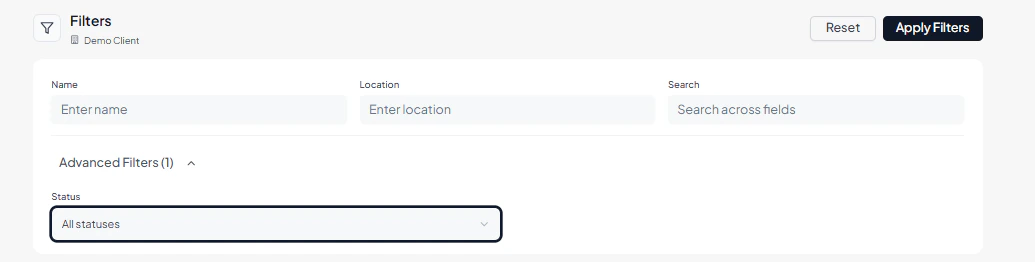
Reviewing the Configuration List
All watchtower configurations are displayed in a card-based layout, with each card representing a single configuration setup. Each configuration entry includes: Configuration Name — Name assigned to the watchtower configuration Location — Associated deployment or monitoring location Configuration Status — Indicates whether the configuration is Active or Inactive Configuration ID — Unique identifier of the configuration API Key — API credential associated with the configuration 1:1 Threshold — Threshold value used for one-to-one matching 1:N Threshold — Threshold value used for one-to-many matching Track Reappear — Indicates whether reappearance tracking is enabled Track Reappear Interval — Time interval configured for reappearance tracking Last Modified — Date of the latest configuration update Configure — Opens the configuration editor Delete — Removes the selected configuration Configuration Cards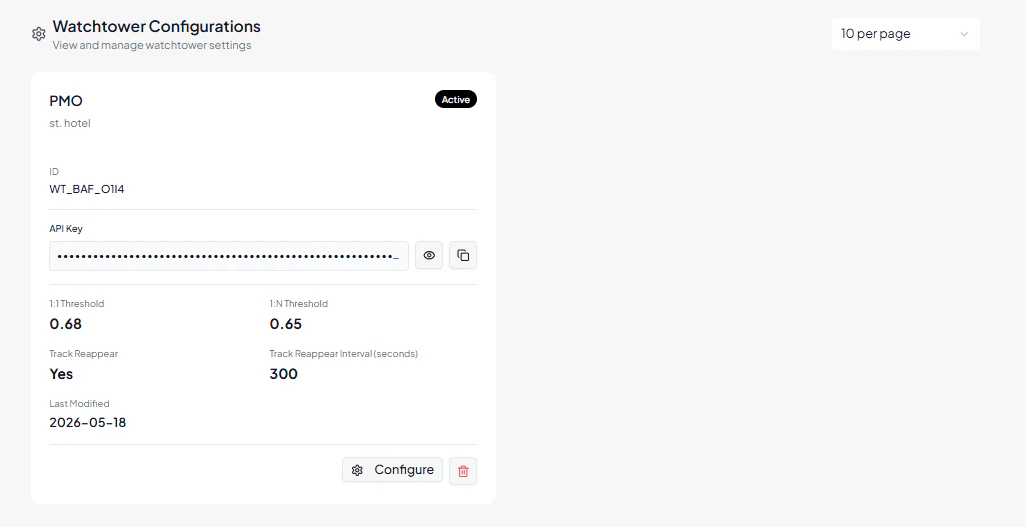
3. Operational Use Cases
The Watchtower Configuration module is commonly used for:- Managing watchtower monitoring configurations
- Monitoring active vs inactive deployments
- Configuring biometric threshold values
- Managing API integration credentials
- Controlling reappearance tracking behavior
- Reviewing monitoring setup activity
- Supporting operational surveillance workflows